Audit logs: see who changed what, and when
Every deploy, setting change and delete in your velixir team is now on the record: who did it, from where, with which key, and whether it worked.
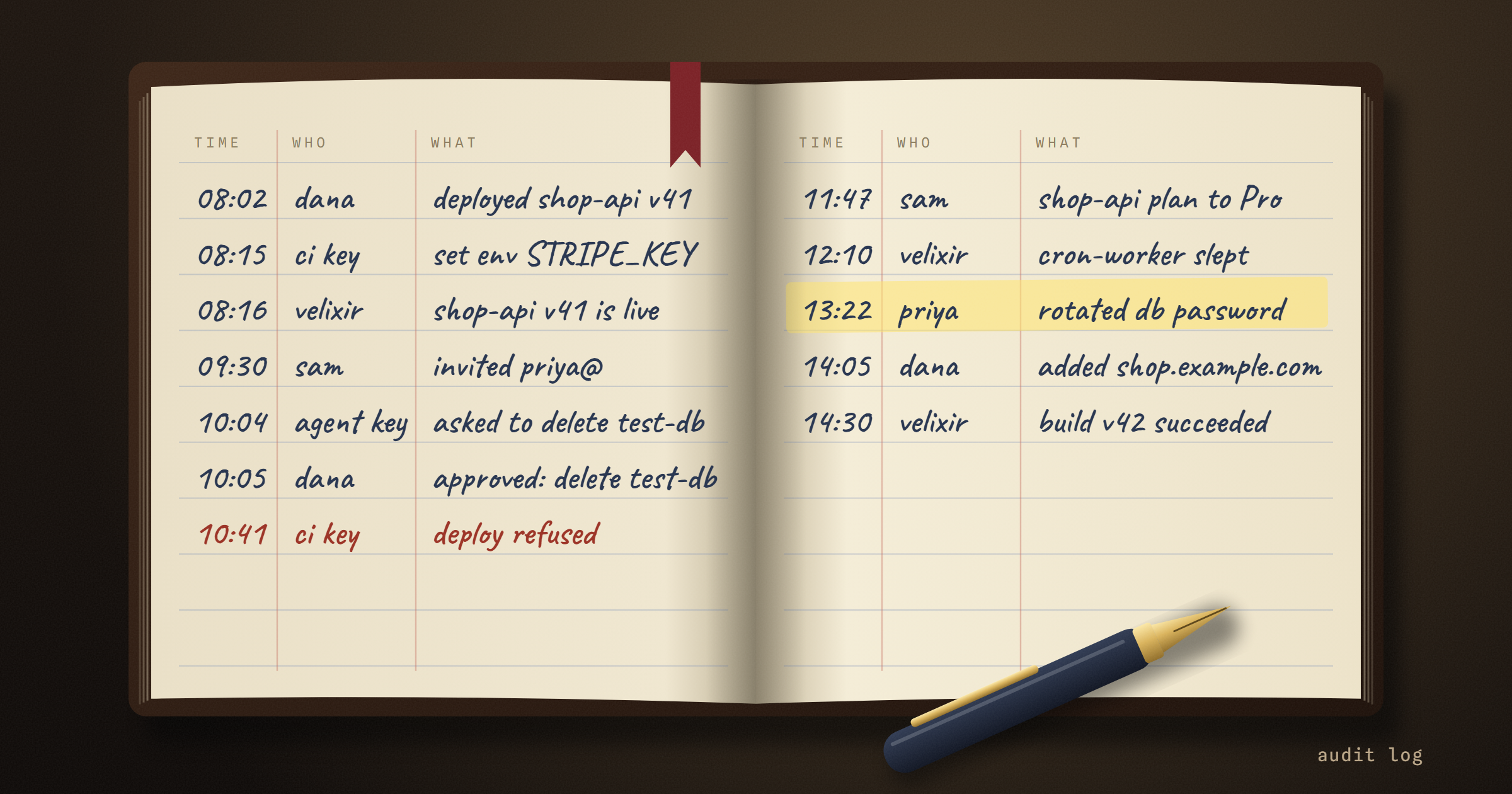
Something changed in production on Tuesday afternoon. The app is fine now, but you'd like to know what happened, and the three people who could have done it all remember it differently.
That conversation is now one page. Every velixir team has an audit log: a record of every change anyone made, in the dashboard, through the API or the CLI, and the things the platform did on its own.
What does the audit log record?
Everything that changes something. Deploying, rolling back, scaling, changing a plan, setting an env var, adding a domain, creating or deleting an app, database or cache, inviting someone, changing a role, creating an API key. If it changes your team, it's on the record.
Each entry says:
- who: the member's email, and the API key if the change came from the CLI, CI or an agent
- what: the action, and the app, database or member it touched, by name
- from where: IP address, browser or client, and the request
- whether it worked: failed attempts are recorded too, marked in red, with the reason
The name of what was touched is saved with the entry. When someone deletes orders-db, the log still says orders-db a month later, not an ID that leads nowhere.
Does it record my secrets?
No. The log records that STRIPE_KEY was set, by whom and when. The value is never stored, and neither is anything else you send: no request bodies, no passwords, no connection strings. Entries hold the names of things and the ids, never their contents.
What about things nobody clicked?
Plenty of what changes production isn't a person pressing a button. A build fails. A deploy goes live, or doesn't and rolls back. A free app goes to sleep after being idle and wakes on the next visit. A balance runs out and the account pauses.
Those are in the log too, marked as velixir, next to whatever a person did around the same time. So "the site went down at 14:02" sits right under "14:01, ci key, deployed shop-api", and the conversation is over before it starts.

Sign-ins are recorded as well, with the IP they came from. And if you ever ask our support to look at something in your account as you, anything done during that session is marked via support.
Who can see it?
Team Owners and Admins, under Team settings → Audit log. It shows every member's activity and IP address, so Members don't get it. You can search it, narrow it to apps, databases, billing, members or sign-ins, show only what came through the API, or only what failed, and pick a date range. Click any entry for the full detail.
Can I get it out?
Yes, two ways.
Export CSV on the audit log page downloads whatever you've filtered, one row per entry with every field, ready for a spreadsheet or an auditor.
For a log pipeline or a SIEM, GET /api/v1/audit-logs returns the same entries as JSON with an account-wide API key, newest first. Page back with before, or poll with since to pick up only what's new. Filter by action (app.deploy, or app. for everything on apps), appId, or failed=true. It's in the API reference.
Why now?
Because the questions teams ask about production are about people, not servers. Who deleted it? Did the CI key do that, or did someone do it by hand? When did the agent last deploy? And because sooner or later one of your own customers sends a security questionnaire that asks whether you keep a record of changes to production. Now the answer is yes, and you can show them.
The audit log is on every team today, at no extra cost. Changes made from today on carry the full detail; older entries were recorded with less.
Got an app to ship? velixir hosts it in any language, on servers in the EU.
Start free - your first month's on us